Android TV didn’t get much attention back at Google I/O, but the platform hasn’t been forgotten. An update to the YouTube app on Android TV is rolling out now, bringing the interface on par with what’s been available on smart TVs for a while now. This update probably doesn’t address many of the requests users have had over the last year, but it’s a great step forward and solves at least one major issue: Auto-play.


1. All-new interface
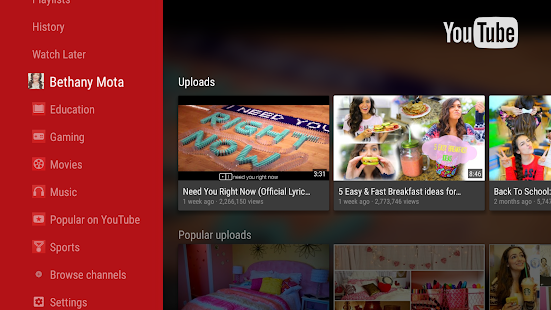
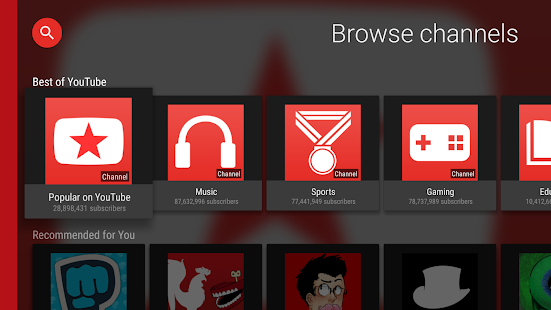
The new UI is still in the same realm as Android TV’s overall design guidelines and other apps, but there are clear changes throughout. On the main screen, YouTube still offers up quick access to subscriptions and trending videos, but things are slightly rearranged.
On the sidebar, you’ll notice fewer sections as the watch later and purchases options have moved. The main screen is also broken out horizontally with categories rather than vertically. Colors have also been swapped to feature a darker background with white highlights for selected content. This is an especially nice perk of the new design.

Across the top of the Home screen resides a row of topical areas, starting with your recommendations and YouTube Red Originals, then following with a short list of broad topics like Food, Beauty, and Gaming.
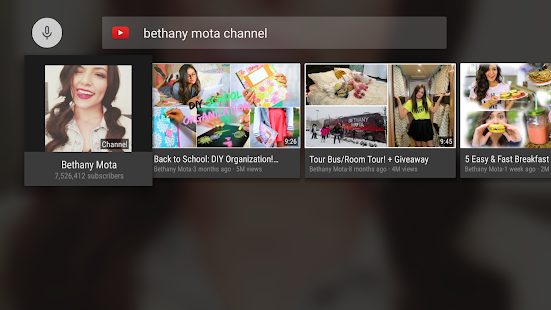
Similar changes have been made to the search interface. It remains essentially the same functionally, but it’s now slightly more effort to reach the search suggestions.


2. Video Player:

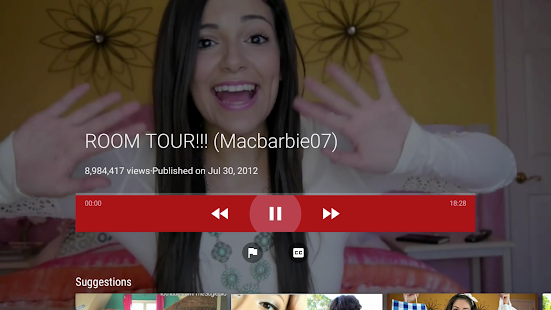
The Video Player is now updated with a red bar, replaced with a thinner seek bar similar to what you’d see on a smartphone. It’s a great change that also makes more room for video suggestions and the title, all while letting you see almost the entire video. It is a bit annoying, though, that the like/dislike and subscribe buttons have been hidden beneath a second menu. It is great to see an option to turn off auto-play though.
Buttons for skipping forward and backward in a video have been replaced with Next/Previous buttons. When either button is selected, it shows a thumbnail for the video that would be shown. All of the buttons that previously sat below the control bar have also been hidden to be less distracting. They can now be revealed by hitting the new More Options button. Thumbnails of the video are shown at regular intervals, which makes it much easier to find the place you want to be watching.
3. Settings:

The settings have not changed massively but there are some tweaks here and there. The red bar with the combination of gray ash color tiles has been updated. The new Settings page is a long row of oversized tiles spanning to the right.
4. Download:
The APK is signed by Google and upgrades your existing app. The signature guarantees that the file is safe to install and was not tampered with in any way. You can wait for Google to give you an update to your devices, which can take days, download and install it just like any other APK.
Version: 2.00.16
OR you can download the Official App From Here:
So, guys do try out the new Youtube TV feature and tell us what do you think about this new features. Thanks for reading our article and we hope you have a great day.
.jpeg)
.jpeg)


